This guide will take you step by step through Quicklizard's pricing process, helping you understand how your recommended price is determined. You can follow this guide to customize the flow according to your needs.
# Execution Order Flow
The pricing process consists of 2 main parts, the custom functions and the pricing strategy,
Cusotm functions can be set different levels:
Global - For every pricing cycle of the proudct.
Group - For every product in a specific group.
Strategy - For every product in a specific strategy.
These can be set both as pre processor (before the strategy) or post processor (after the strategy).
Cusotm functions can be set different levels:
Global - For every pricing cycle of the proudct.
Group - For every product in a specific group.
Strategy - For every product in a specific strategy.
These can be set both as pre processor (before the strategy) or post processor (after the strategy).
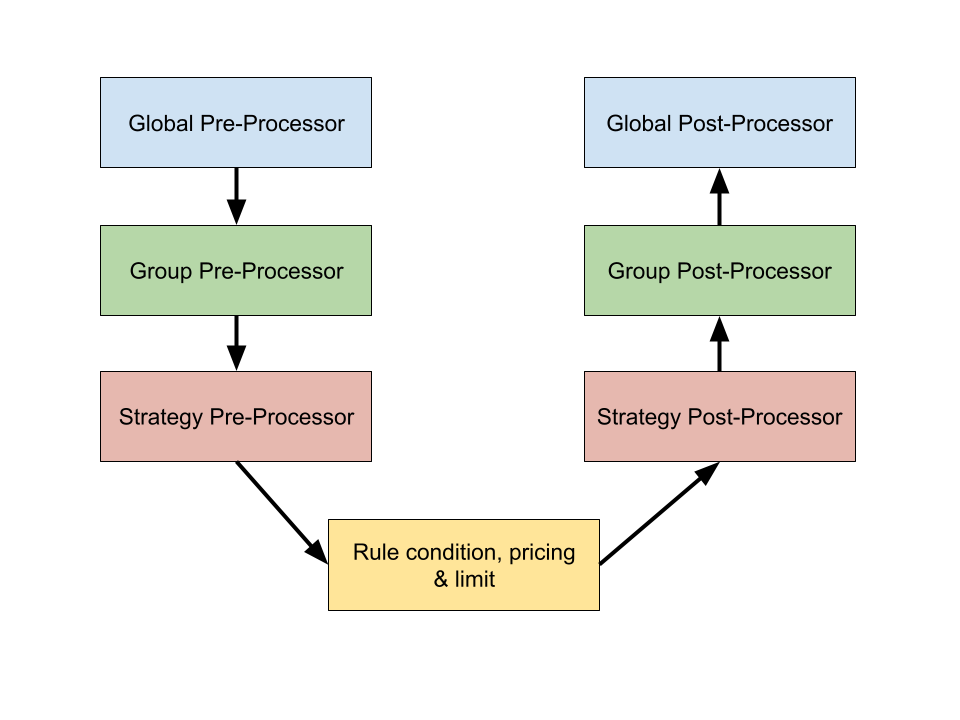
Our pricing engine will execute pricing in a specific order, based on your global, pricing group and strategy settings.
Pre and Post Processors are always custom functions, while strategies can be based on pre-built rules or custom functions.
# Global Pre-Processors and Post-Processors
These are custom before and after pricing functions that are defined in your account settings area and are always executed before and after the relevant pricing group rules conditions and limits are applied to a given product.
Global pre and post-processors are always executed, regardless of the pricing group a given product is associated with. It can be found on the platform here:
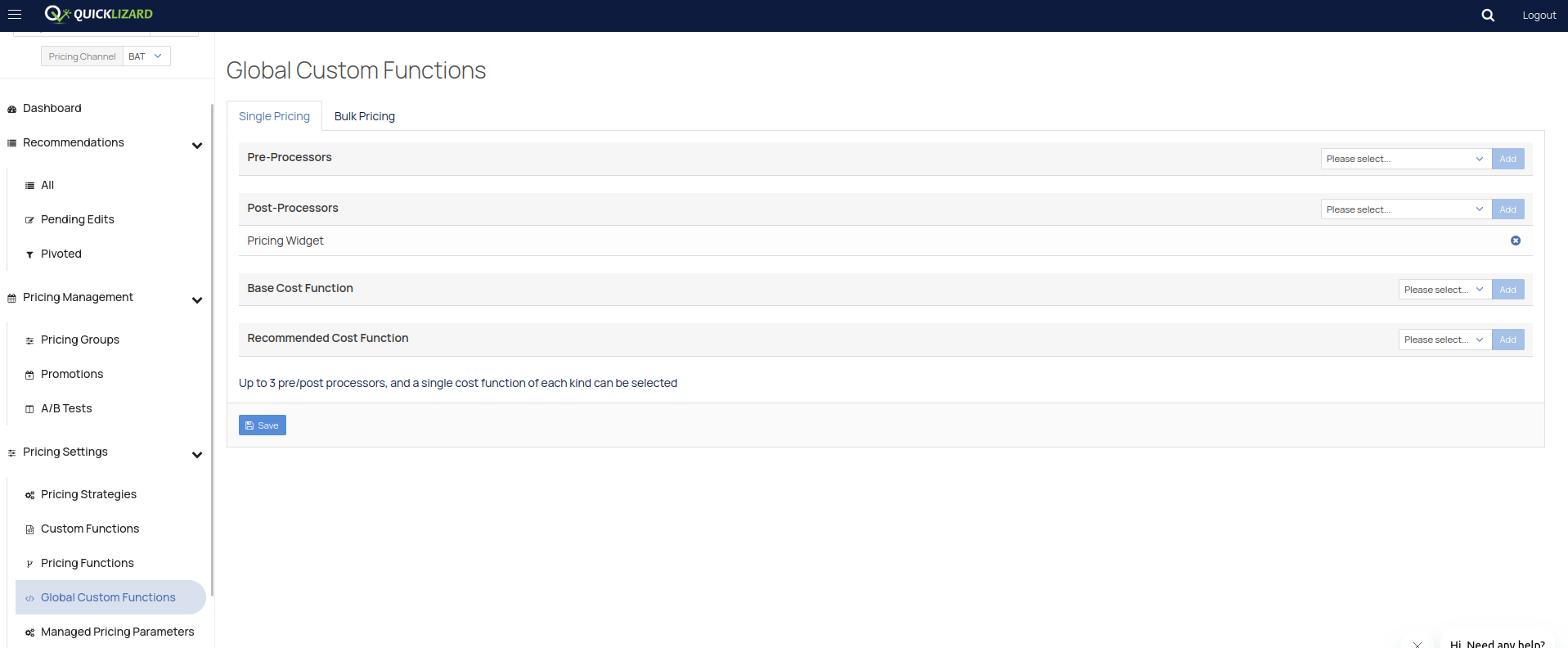
You may select multiple pre and post processors and they will be executed in the order in which they are defined.
Single Pricing is self explanatory, Bulk Pricing is meant to price a group according to the pricing of another product.
# Local Pre-Processors and Post-Processors
These are custom before and after pricing functions that are executed in the context of a pricing group and pricing strategy.
A local pre-processor is executed before the pricing logic is applied. A local post-processor is executed after the pricing logic is applied.
Each group and strategy may have a single pre-processor and a single post-processor attached to it.
To add pre-processor/post-processor local custom functions, navigate to 'Pricing Strategies' then add a new pricing strategy
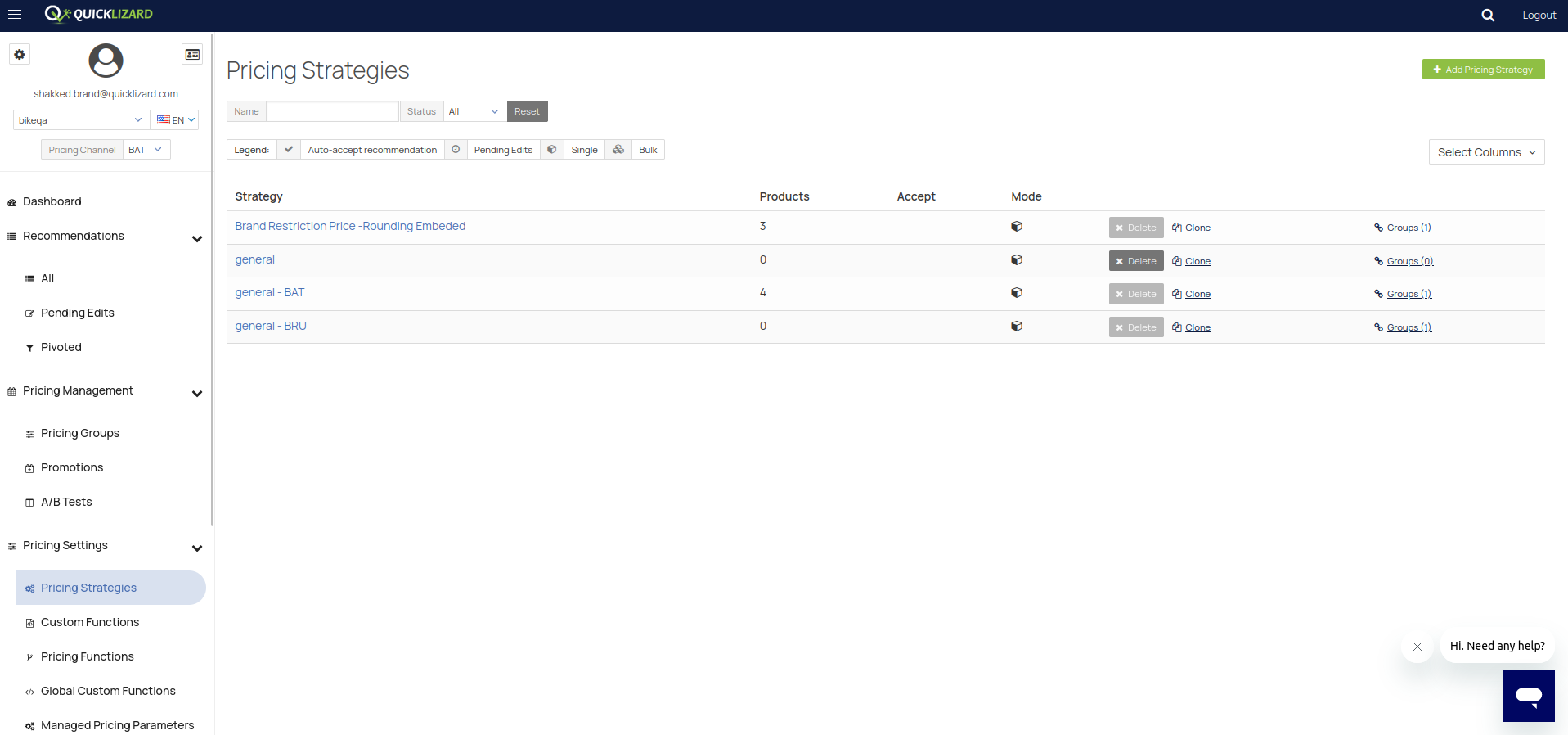
When you press single you will be greeted by the following screen:
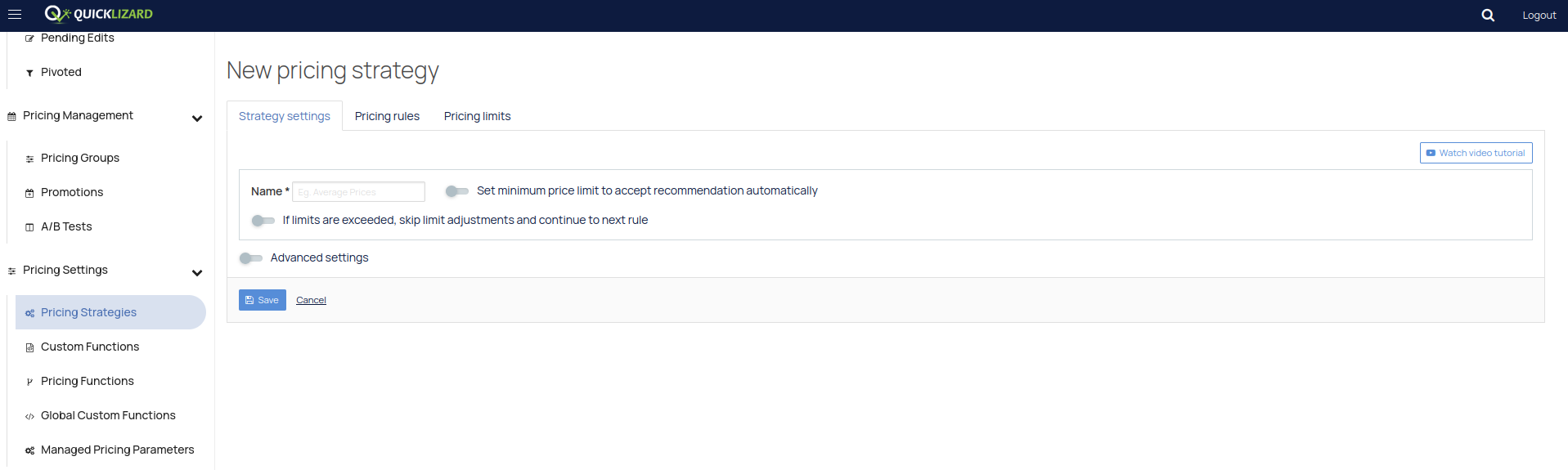
Press on Advanced Settings:
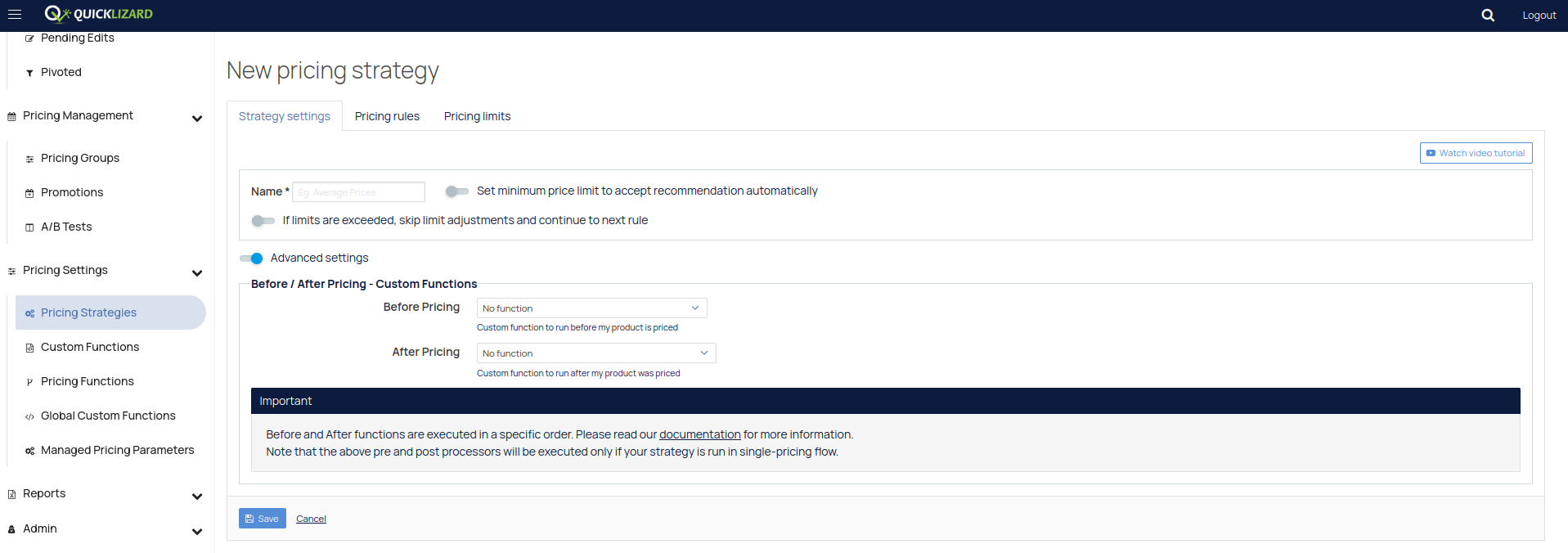
Here you will be able to add the pre-built pre-processing and post processing local custom functions.
Pricing functions are like custom functions, and these are the ones possible to be used for strategies (normal custom functions will not appear for bulk strategies (normal custom functions will not appear for bulk strategies). The process for these is the same, simply press on Advanced settings to show the options (assuming pricing functions exist).
Rules & Conditions
After the global pre-processes and local pre-processes are completed, the product goes into strategies, where conditions/limits and pricing take effect. You can view them under pricing rules and pricing limits:
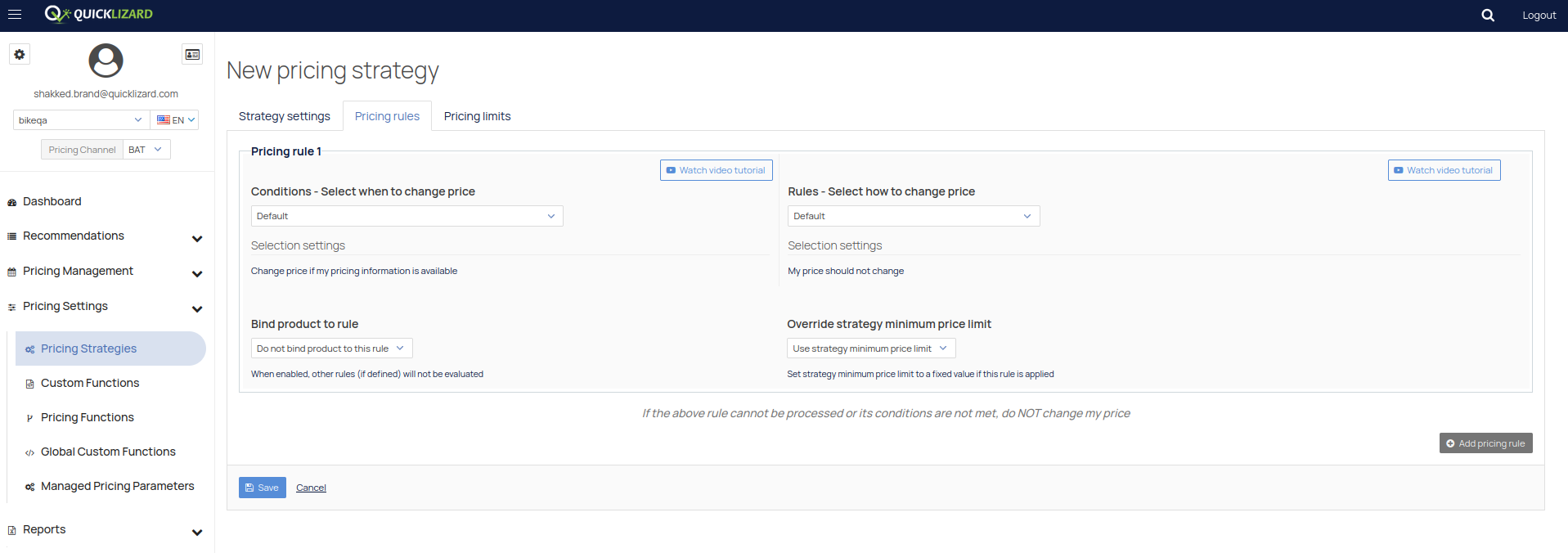
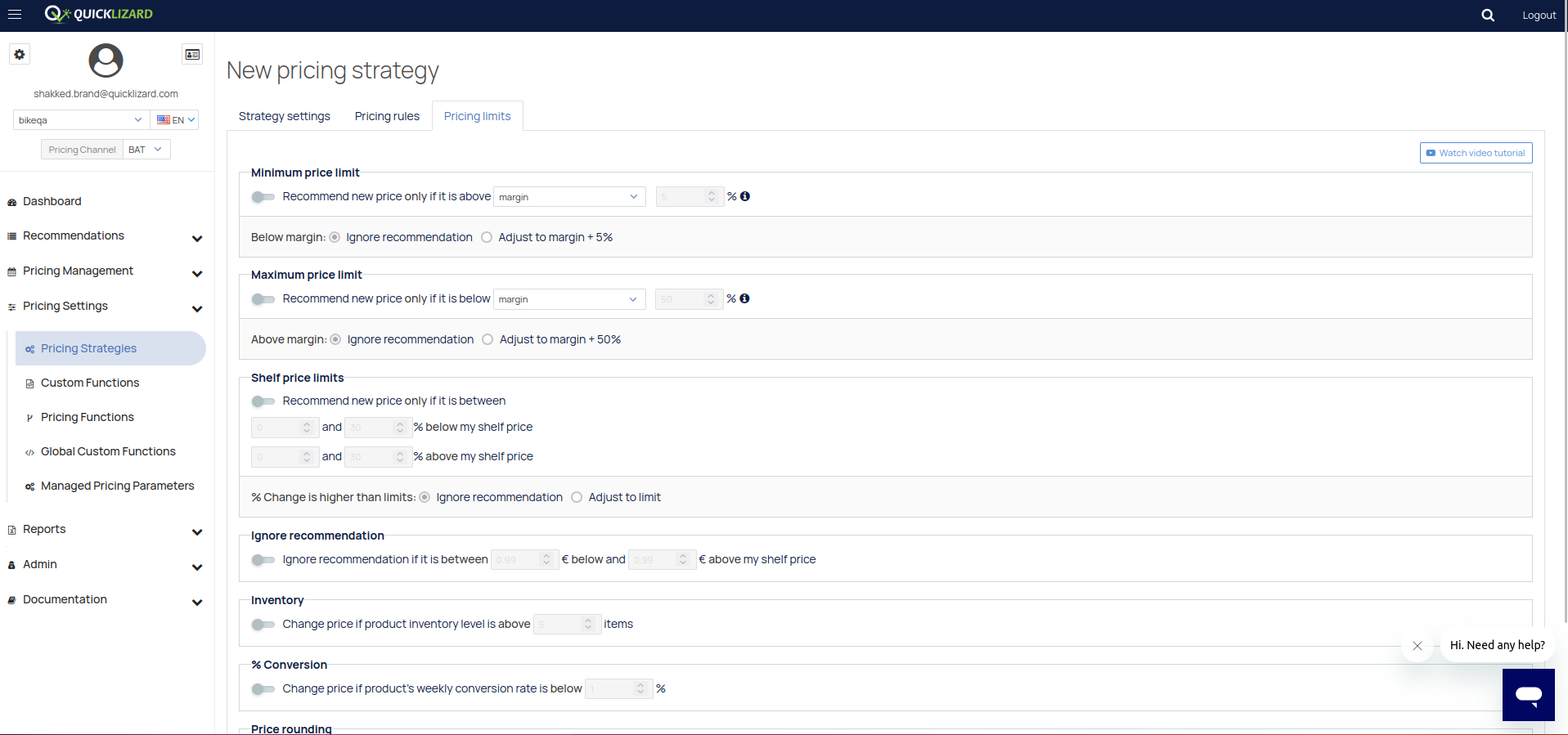
After the products complete going through the strategies, they go through local post-processing custom functions, then global post-processing custom functions and the process is complete.
Note that products are automatically created with a pricing group and a strategy, and they always have it, but the pre-processing and post-processing custom functions are optional.
Comments
0 comments
Please sign in to leave a comment.