This guide will walk you through creating a promotion in the Quicklizard application.
To read more about the promotions module, check out our guide here
How to create the promotion?
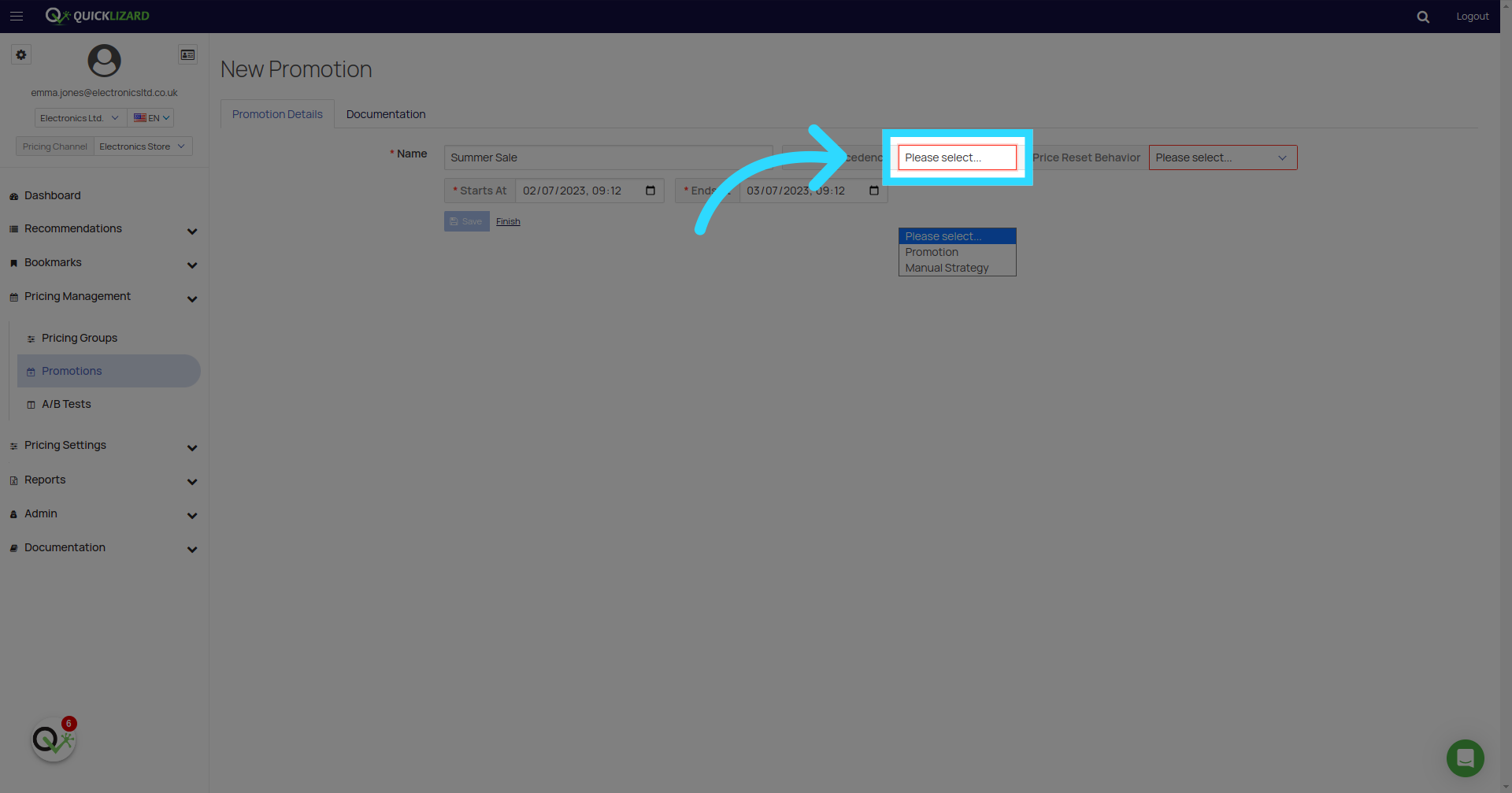
What is "Price Precedence"?
Pricing precedence is a pattern that lets you determine how promoted items are handled during pricing and receive a price recommendation.
a. Promotion
A recommendation is based on the promotion's settings.
The promotion Price field is used to generate recommendations for promoted items. (The recommendation is accepted with approval and available in accepted API)
b. Manual Strategy
A combination of promotion price and strategy. Useful when applying limits, rounding, and complex conditions from an existing strategy to your promoted items. A recommendation is based on each promoted item's Promotion Price field. The selected strategy is applied to the recommendation (pricing rules, limit, rounding & approval). The final recommendation results from the applied strategy on the item's Promotion Price.
What is "Price Reset Behavior"?
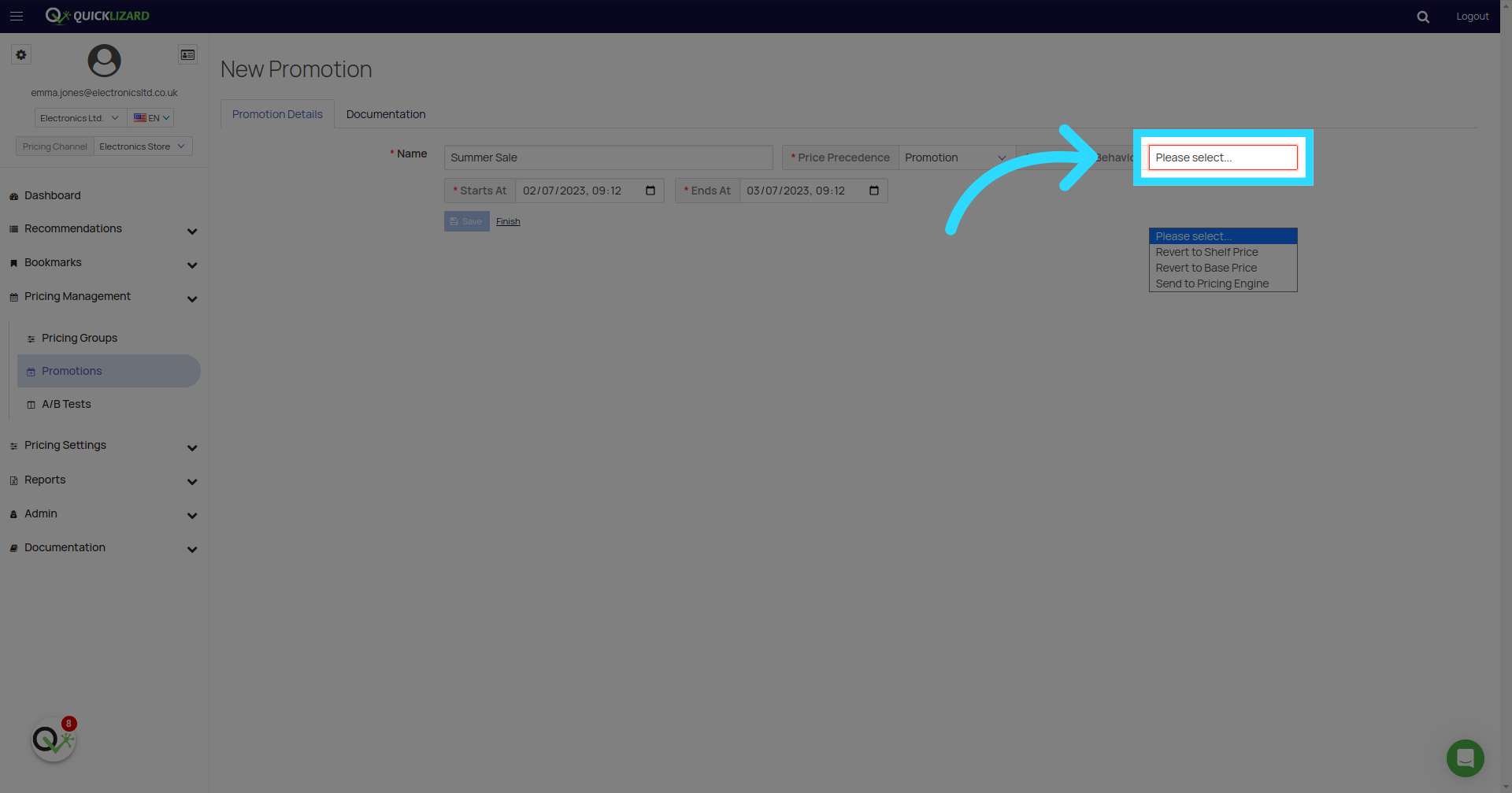
Price Reset Behavior determines how each promoted item's price is reset when the promotion ends or when the item is removed from the promotion.
a. Revert to Shelf Price - Reverts to the product's shelf price, as defined at the start of the promotion. (The recommendation is accepted with approval and available in accepted API)
b. Revert to Base Price - Reverts to the product's base price, as defined in the promotion. (The recommendation is accepted with approval and available in accepted API)
c. Send to Pricing Engine - Sends the product to QL's pricing engine to be priced using the relevant strategy & pricing group.
When deleting an active promotion, its promoted items will not be sent to pricing and their price will not be reset using the selected Price Reset Behavior.
If for some reason you need to explicitly reset the price of the promotion's items, please delete them manually first, and then delete the promotion.
Add Promoted Items
- Add items to promotions using CSV file - Use a CSV file to add promoted items to a promotion. Read more here.
- REST API for Promotions - You can use the API endpoint to control your promoted items list. Available calls can be found here: https://rest.quicklizard.com/docs/v3#/Promotions
- Add Items straight from the QL platform.
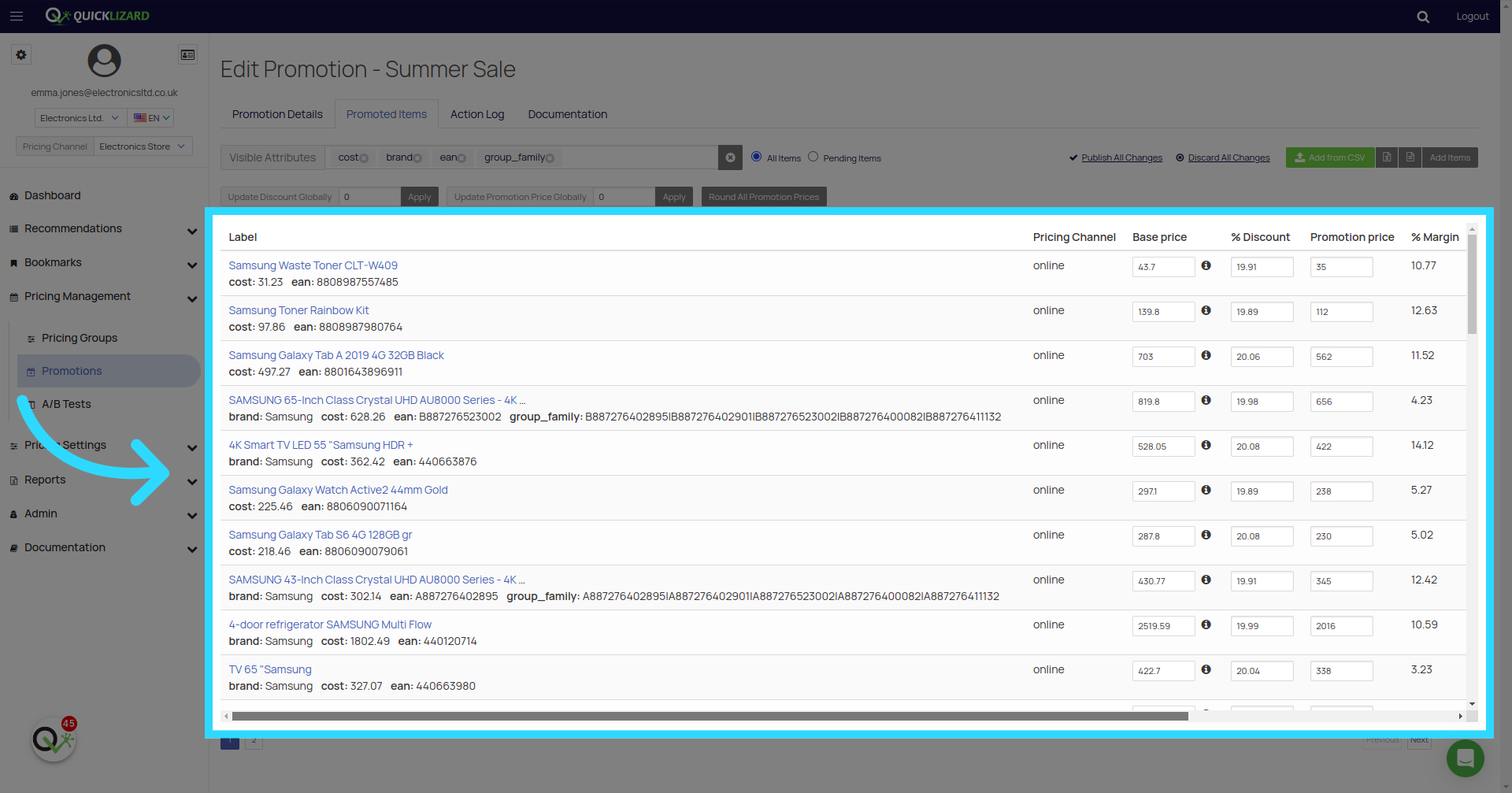
When editing promoted items, please be sure to save your edits before performing any deletions or discarding multiple changes.
Failing to do so may result in losing your unsaved changes, when promoted items are reloaded from our backend.
Promotion data is available under the "campaign" field of each recommendation in the API when the promotion is active, or in the product page in the UI.
Note:
- The date and Timezone for the promotion will be based on your timezone.
Comments
0 comments
Please sign in to leave a comment.