Pricing strategies in Quicklizard are used to set rules to get recommended prices for a group of items. It's a crucial part of Quicklizard's pricing process because it sets the rules for calculating the recommended price for each product.
Each product in the system has a pricing group, and each pricing group has a strategy.
Each product in the system has a pricing group, and each pricing group has a strategy.
The pricing strategies can be viewed on the following screen:
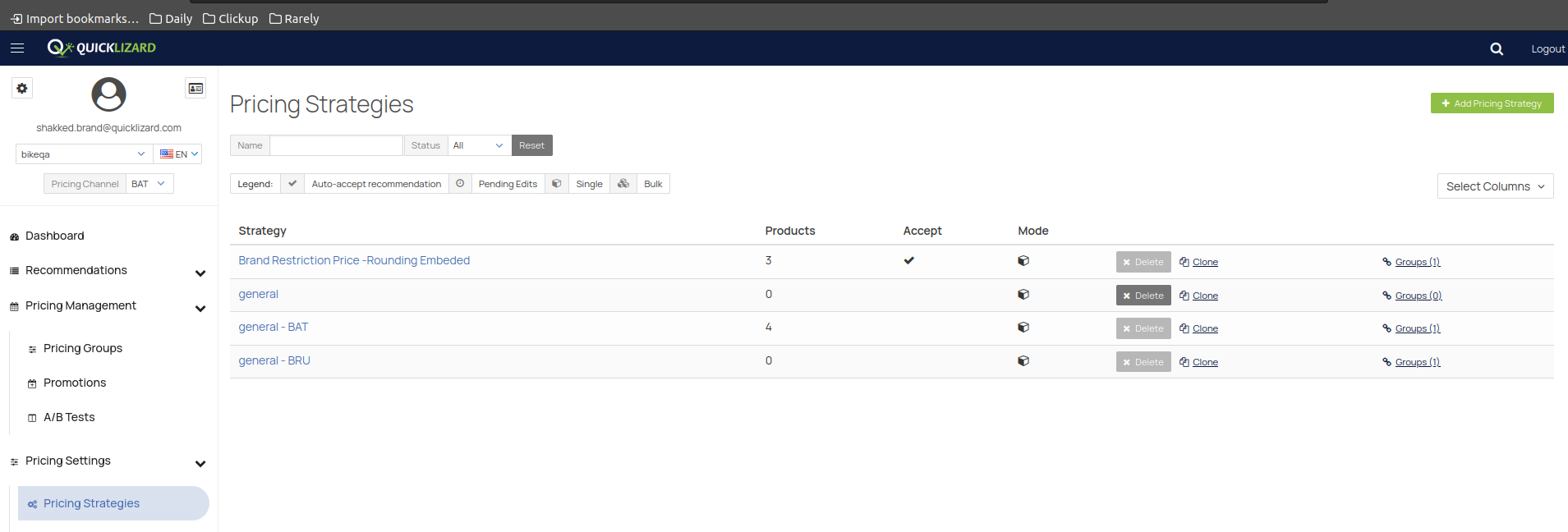
Strategy - The name of the strategy
Products - how many products are affected by this strategy
Accept - ticked with V in case the strategy auto-accepts pricing based on the strategy
Mode - single/bulk - single meaning strategy for leading products, bulk meaning strategy for products that follow a lead and act according to it.
Delete/Clone - self-explanatory
Groups() - Number of groups linked to this strategy
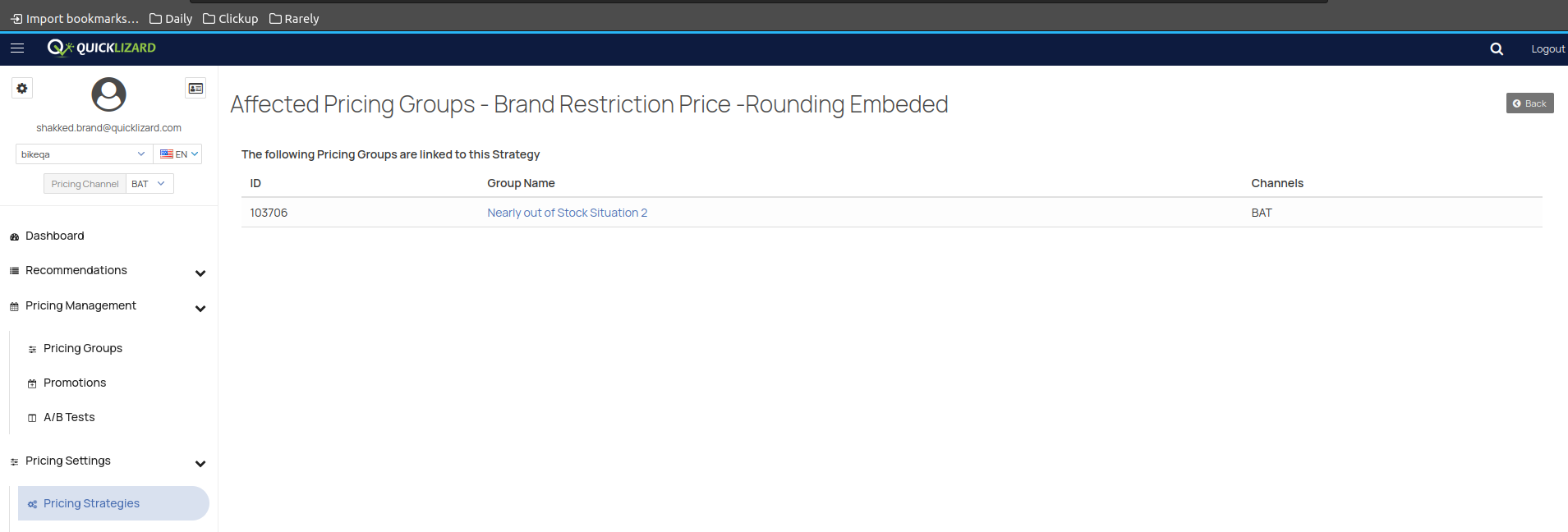
When clicking the Group, you will see a table with all of the affected pricing groups:
To create or edit a pricing strategy, check out our "How to create a pricing strategy" guide.
Comments
0 comments
Please sign in to leave a comment.